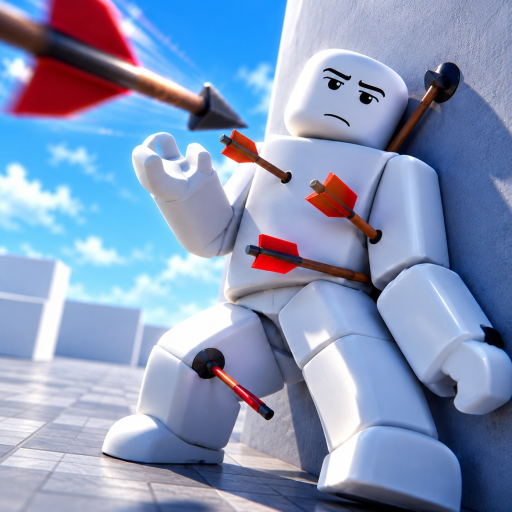
Ragdoll Reality Grab Guide: Handling and Throwing
What Grab lets you do
- Target: Grab is a dummy-handling tool in Ragdoll Reality.
- Actions: The advertised actions are grabbing dummies, throwing them and removing limbs.
- Start with purpose: Choose whether you want to move a dummy, make a throw or focus on a body interaction before changing tools.
Treat Grab as a handling tool
Grab changes the question from which weapon you want to use to what you want to do with a dummy. Its advertised actions include grabbing, throwing and removing limbs. That makes it useful when positioning or a physical interaction is the point of your session.
The gameplay below shows the wider equipment sandbox around that choice. Use the guide’s action breakdown to keep a handling session focused instead of treating Grab as just another name in a long weapon list.
Choose one action to learn first
Start by deciding what result you want. Moving a dummy to another place, throwing it and interacting with limbs are three different purposes. Keeping one purpose in mind makes it easier to notice whether your input is producing the action you intended.
Use the control prompt shown by your current game interface for the action. If you are reading a generic keyboard chart, do not assume a binding for another tool also performs Grab’s action. Focus on the selected tool and its visible instructions before repeatedly changing inputs.
Plan a throw before moving the target
A throw has a destination, so decide where you want the dummy to go before getting absorbed in the handling itself. That small planning step is useful even for a casual experiment. It separates learning the tool from deciding what activity you want afterward.
If throwing is your main goal, continue with the [Ragdoll Reality on Roblox throw-dummies guide](/weapons/throw-dummies). That page focuses on the destination decision, allowing this guide to stay centered on Grab’s role rather than becoming a list of every activity you could attempt.
Keep limb interaction distinct from equipment choice
Removing limbs is one of Grab’s advertised actions. It is a body interaction, not a reason to assume Grab has a particular damage statistic or ranks above every weapon. Choose it because the action interests you, rather than because a tier label sounds like a universal advantage.
This distinction matters when changing activities. If you have been handling dummies and now want a weapon-focused session, make that a deliberate switch. You can enjoy a handling tool without expecting it to replace every other kind of equipment interaction.
Use the next guide for your actual question
For a broader selection decision, the Ragdoll Reality weapons guide compares tools by the kind of activity you want. For identifying names, the weapons list is the quicker reference. Neither needs to turn Grab’s few clear actions into a complicated invented control sequence.
If obtaining more equipment is the obstacle, move to the weapon unlock guide. If you are already playing with a progression goal in mind, the kill-farming guide helps organize that time. Keep the immediate task simple: choose Grab for a handling purpose, use the displayed control instructions, and judge the result against the action you meant to perform.